
Nodd
Give your machines a nod from your iPhone
Nodd delivers questions from scripts, CI, and AI agents to your iPhone. Review a production deploy or a risky command, then decide with Face ID.
The sender makes one API call. The choice you make goes back to the program that asked.
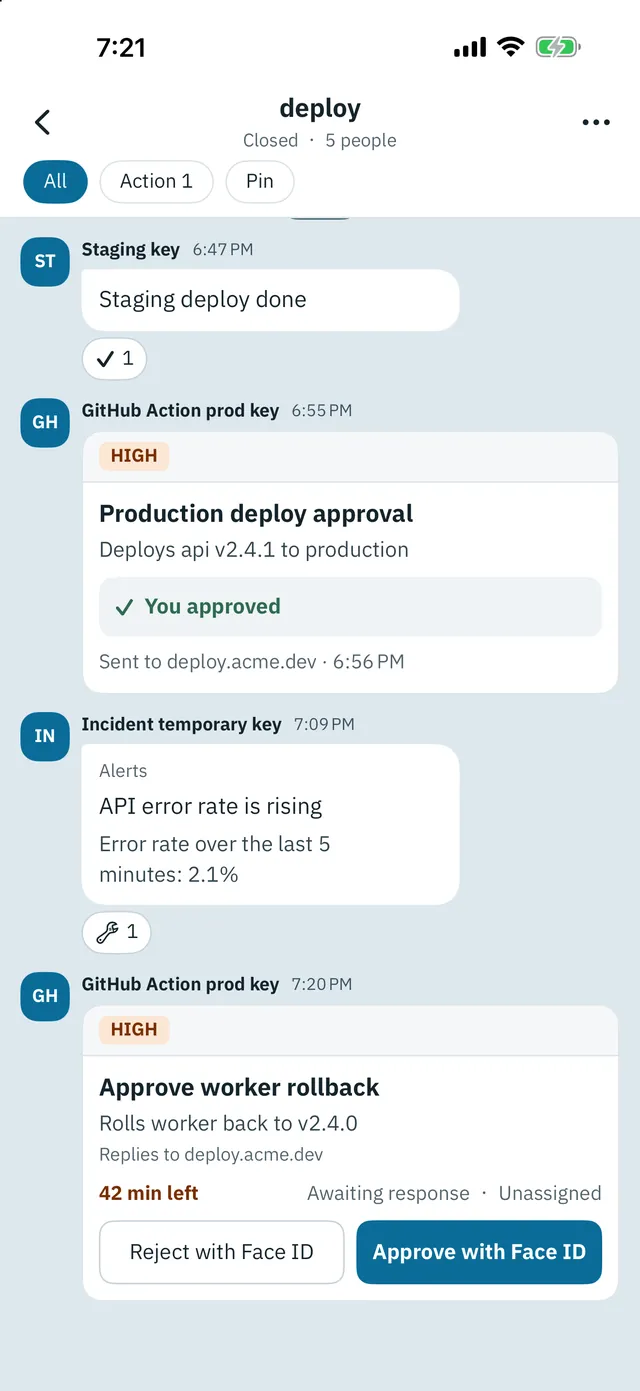
Names and numbers in these screens are samples.
Three steps
- Sign in with Apple in the app, create a channel, and issue a send key
- Send a notification or an approval request from the API, the CLI, GitHub Actions, or another integration
- Review it on your iPhone and answer. The result goes back to the program that asked
Everything you need to decide, on one screen
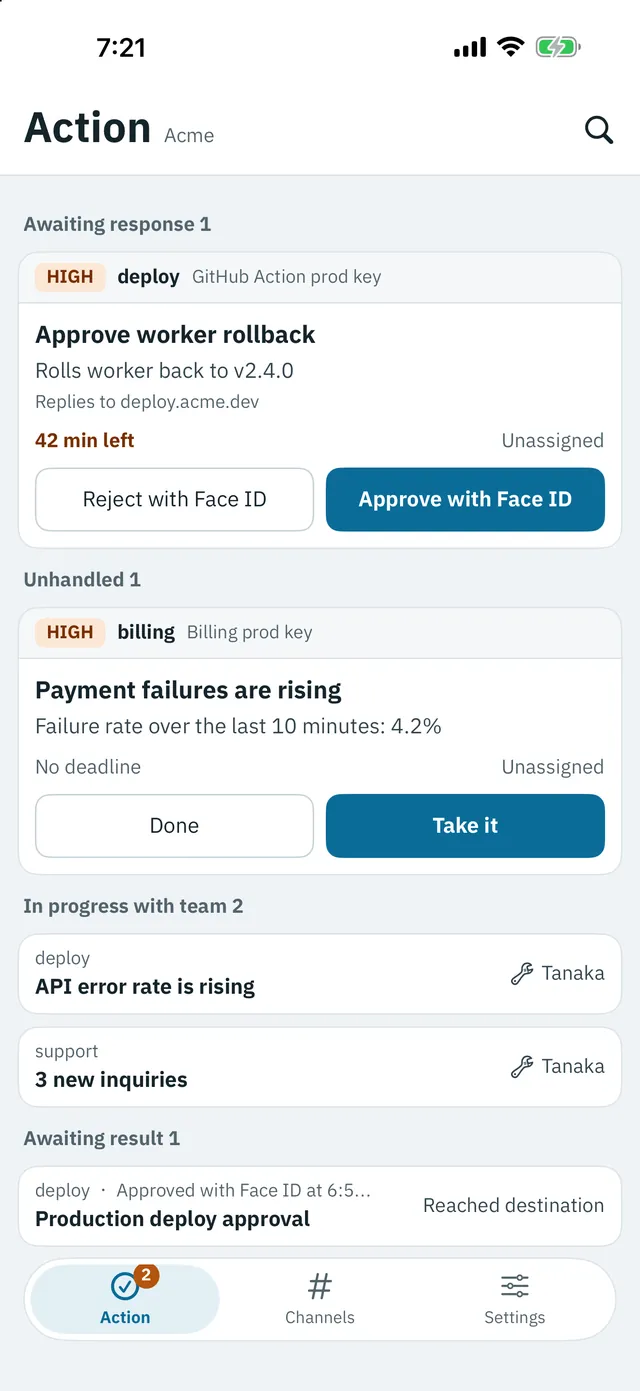
The Action tab shows only what needs you. The approval screen keeps the channel, sender, and reply destination in a fixed area, apart from what the sender wrote. Approvals are never confirmed from the notification. They always happen on this screen with Face ID.
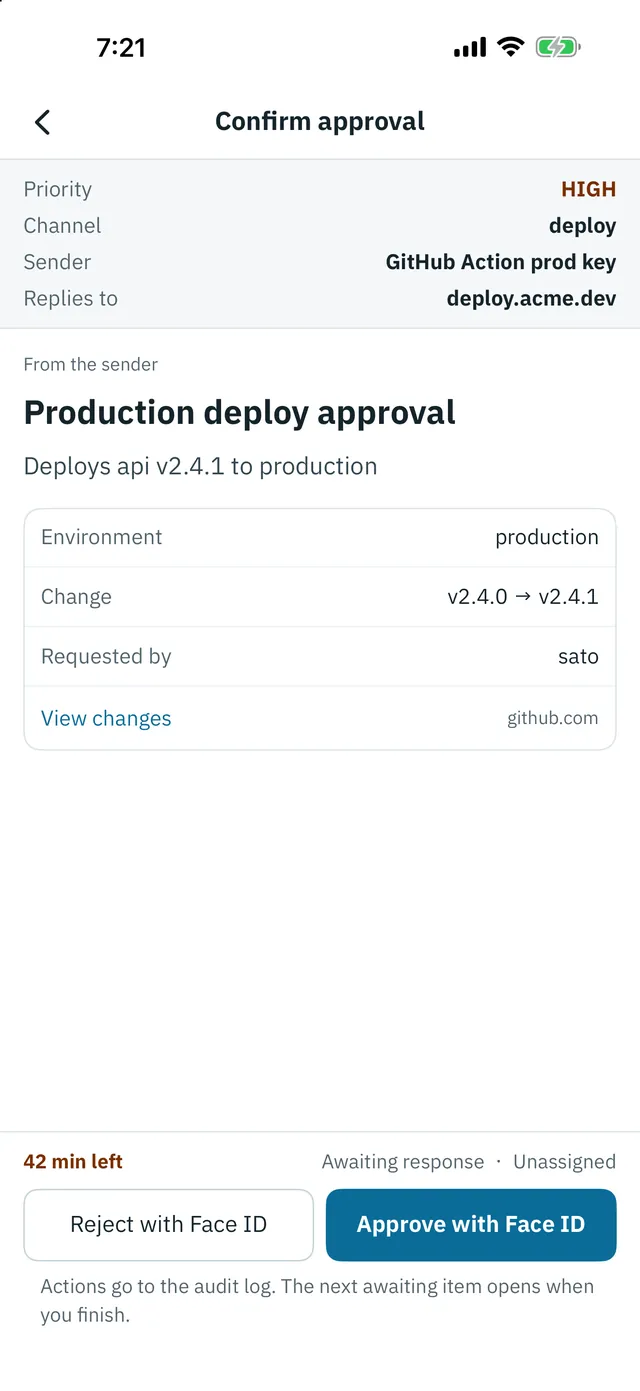
You can add a reason when you reject. It goes back to the sender, so a script or an AI agent can change what it does next.
Machines ask.
People decide.
Connect what you already run
Nodd works with the API, the CLI, MCP, Claude Code hooks, and GitHub Actions. Paste a URL to receive Grafana, Alertmanager, Datadog, Sentry, PagerDuty, Slack format, and generic webhooks (Datadog, Sentry, and PagerDuty need Nodd 1.1 or later). Get responses by polling or through signed requests to a URL you register.
See use cases for examples.
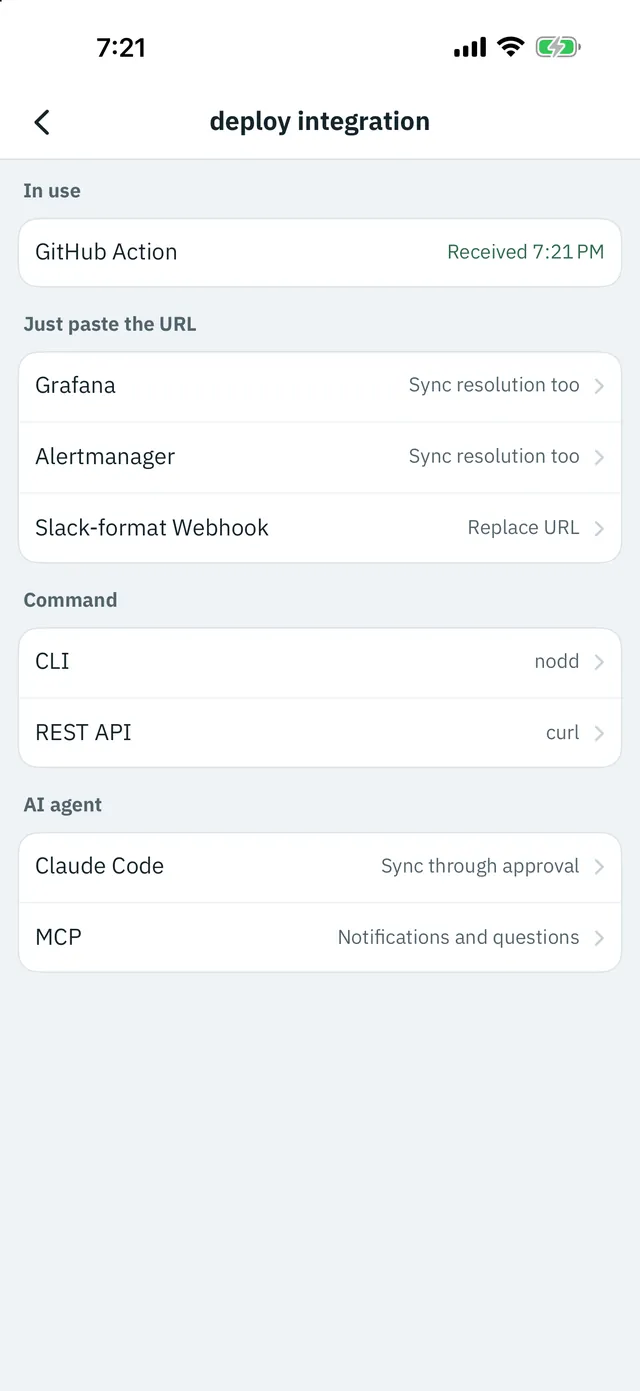
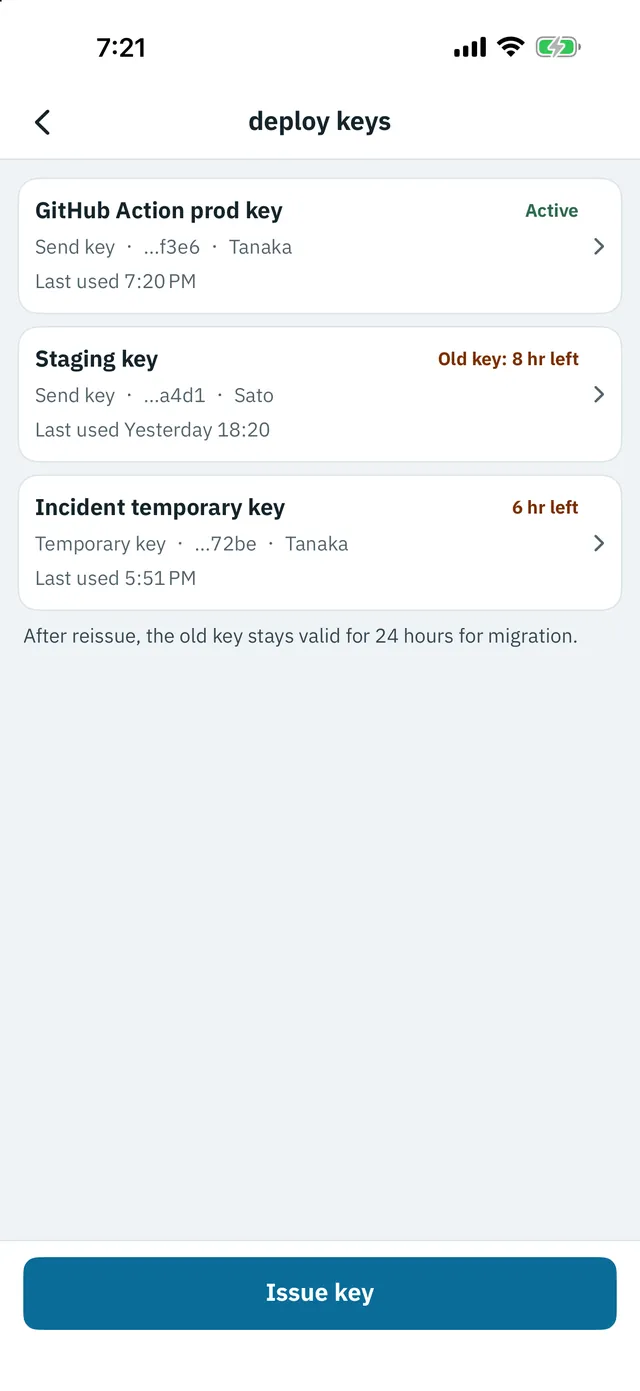
See the developer docs for details.
Work as a team and see who received what
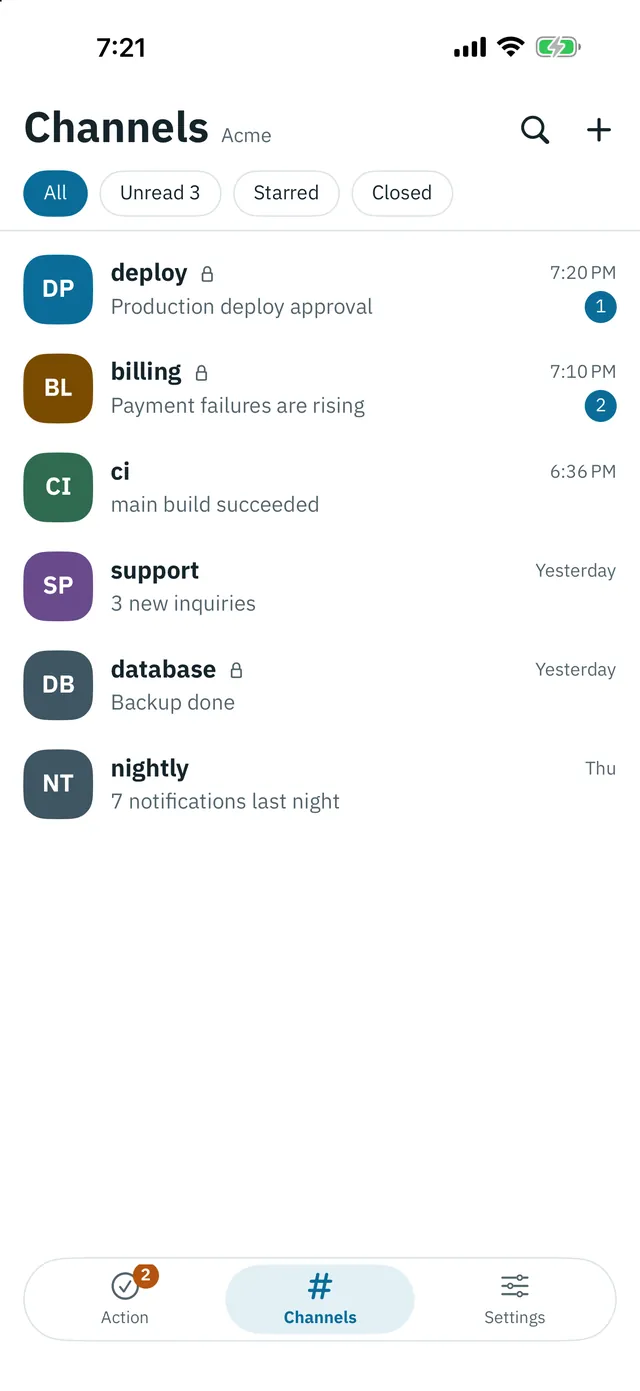
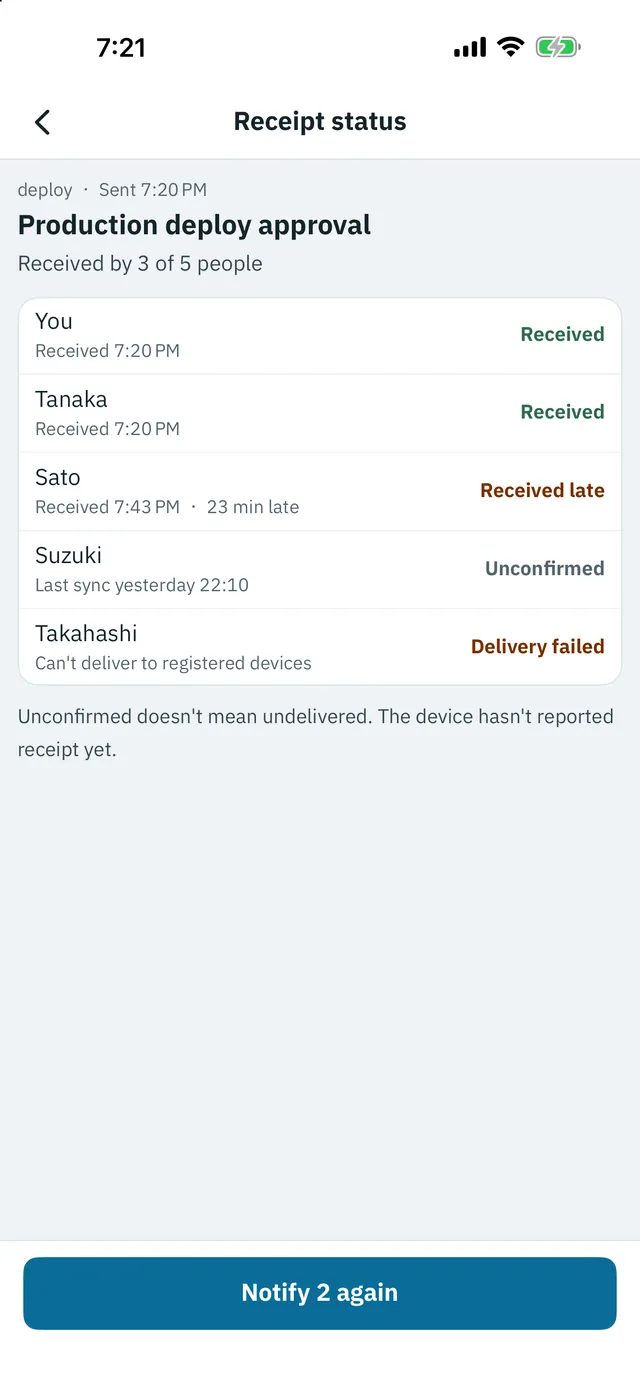
Split notifications into channels and share assignees and completion. On Team plans you can require more than one approver and notify other people when nobody responds. Receipt status is shown for each member, and you can notify anyone who is not confirmed yet again.
Trace what happened
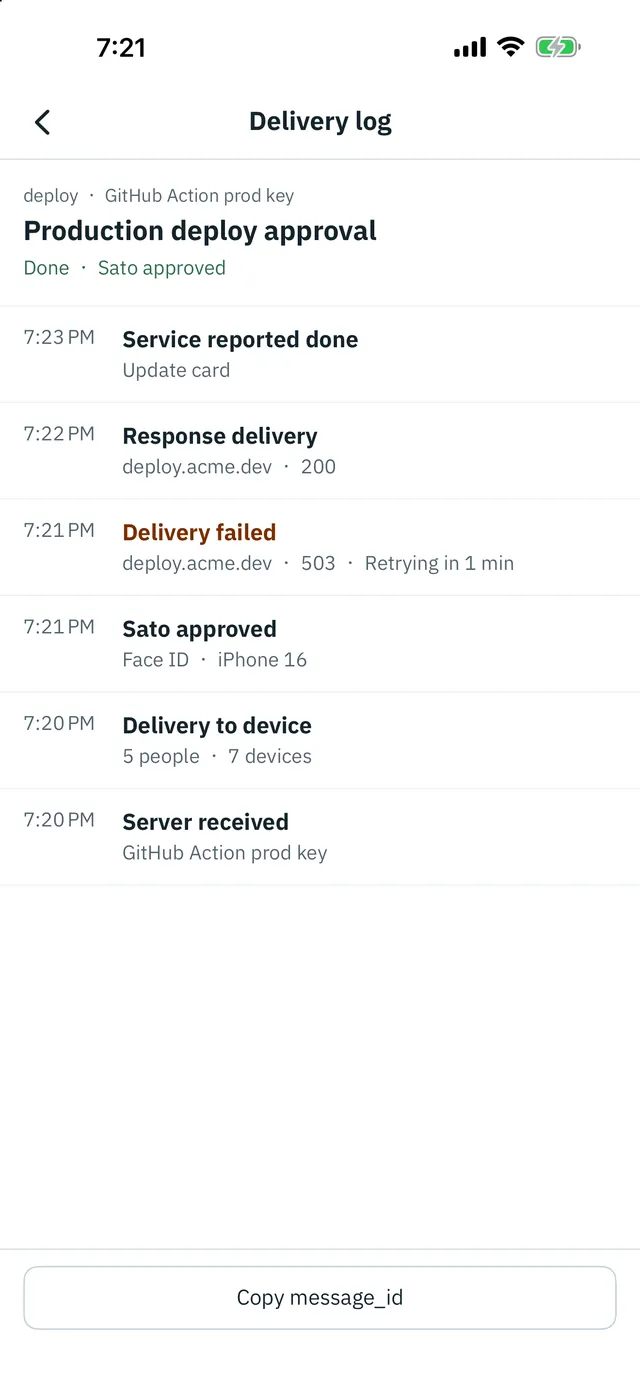
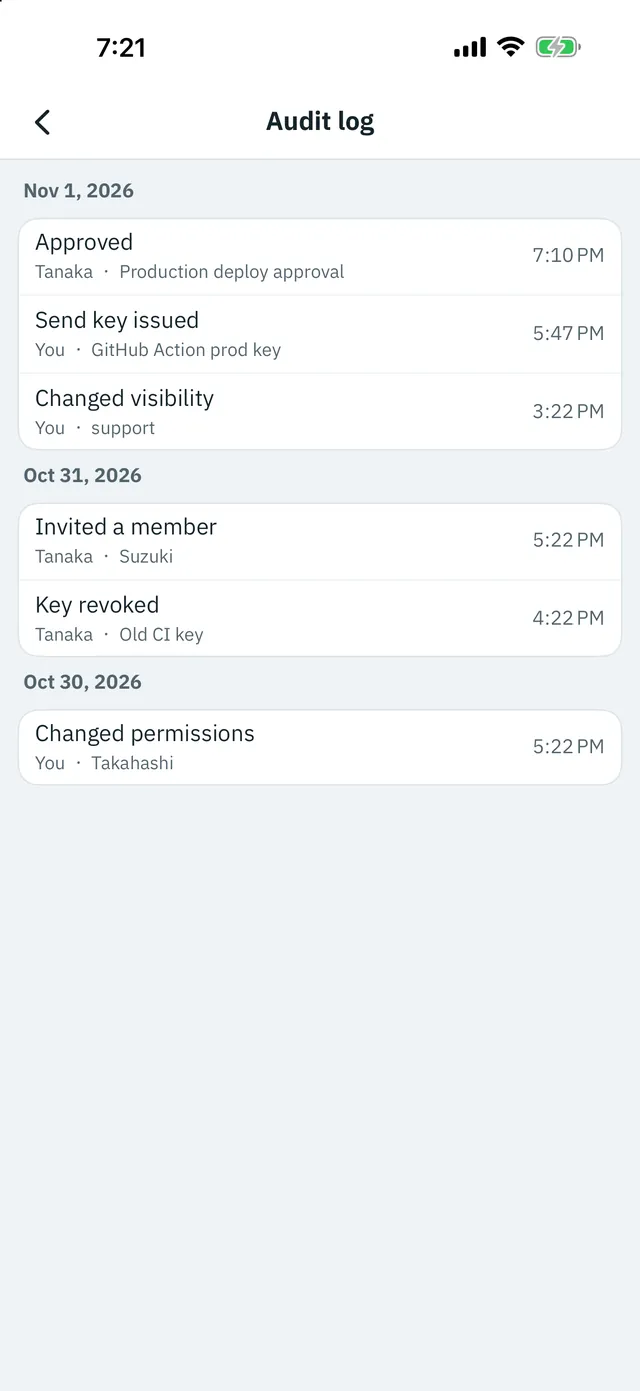
Each message has a log from server receipt through device delivery, the response, and arrival at your URL. On Team plans the audit log keeps events such as key issuance and role changes for 400 days, and you can export it as CSV.
How message bodies are handled
Message bodies are encrypted to each recipient device's public key before they are stored, and the ciphertext is deleted once the device receives it. Readable history stays on your device, and there are no ads. See the Privacy Policy.
Plans
| Free | 1 member, 1 device, 10 channels, 1,000 messages a month, a delivery window of 24 hours, 3 open questions |
|---|---|
| Team 5 / Team 10 | 5 or 10 members, 5 devices per member, unlimited channels, 50,000 deliveries per member a month, a delivery window of 90 days, 500 open questions, multiple approvers, escalation, audit log, free trial for 14 days |
On every plan, message history stays on each device and is not kept on the server. Only the workspace owner buys a plan, and invited members join for free. Prices are shown on the App Store purchase screen.
Details
| Requires | iOS 17.0 or later (iPhone) |
|---|---|
| Sign in | Sign in with Apple |
| Developer | blipdrop |